
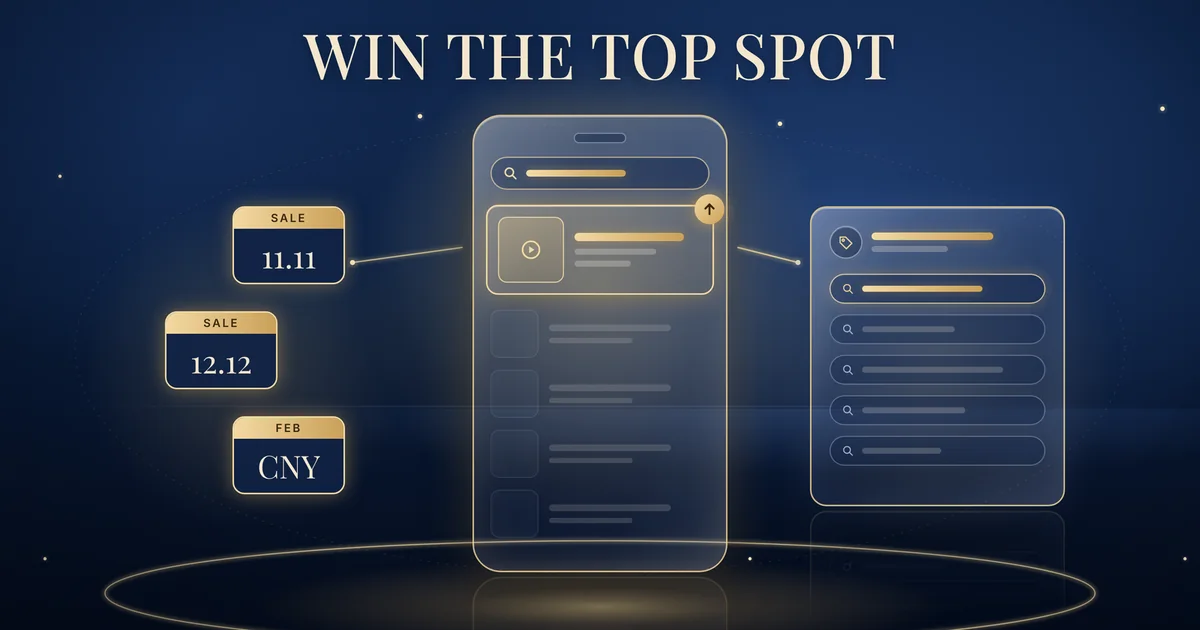
TikTok TopSearch is an auction-based Search Ads product that puts your ad in the first sponsored position on TikTok’s search results page when it wins the auction for a keyword. TikTok’s help page lists Singapore among its supported markets, but only for select accounts. For consumer brands, it can add a focused layer of visibility on brand, category and promotional searches around 11.11, 12.12 and Chinese New Year, alongside standard Search Ads. Brands Win is a Singapore-based agency that plans and runs TikTok ads for consumer brands.
Checked against TikTok’s Business Help Center, 19 October 2026.
What TikTok TopSearch is
TikTok describes the product on its About TopSearch page (TikTok Business Help Center, updated October 2026, read 19 October 2026): “TopSearch is an auction-based Search Ads solution designed to help advertisers capture high-impact visibility at the top of TikTok search results.”
The placement rule is simple. “When your TopSearch ad wins the auction, it appears in the first sponsored position for that keyword.”
If it loses: “If your ad placement does not win the top position for a specific keyword, it does not move into a lower search ad placement nor is it shown for that specific search query.”
In other words, TopSearch is all or nothing for each search.
On billing, the page says only: “TopSearch uses CPM billing.” That describes how you are billed, not what you pay.
TikTok says TopSearch is “built for upper- and mid-funnel advertisers who want stronger brand presence in high-intent search moments, especially around brand, category, competitor, seasonal, or tentpole queries.”
How TopSearch differs from a standard Search Ads Campaign
TikTok draws the line itself on the About TopSearch page: “Unlike a standard Search Ads Campaign, TopSearch placement appears in the top position of the search results page.”
A standard Search Ads Campaign works differently. TikTok’s About Search Ads Campaign page (TikTok Business Help Center, updated July 2025, read 19 October 2026) says the exact ad position “may vary based on relevancy and feature experimentation”. TopSearch shows only at the top or not at all.
The two also sit under different objectives. TikTok lists Reach as the ad objective for TopSearch. For standard Search Ads, TikTok’s About Search Ads keywords in TikTok Ads Manager page (TikTok Business Help Center, updated July 2025, read 19 October 2026) says “Keyword-level bidding is supported only within the Search Ads Campaign Traffic objective”.
TikTok does not pitch TopSearch as a replacement. It says TopSearch “works best as a focused visibility layer alongside your broader Search Ads Campaign activity”.
Is TopSearch available in Singapore?
Yes, for some accounts. Under Availability, the About TopSearch page (TikTok Business Help Center, updated October 2026, read 19 October 2026) lists Reach as the ad objective and gives the regions as “Select accounts in supported markets, including:” followed by a list of markets.
Singapore is on that list, along with Malaysia, Indonesia, the Philippines, Thailand and Vietnam in South-East Asia. The list also covers markets further afield, such as Australia, Japan, the United Kingdom and the United States. ChannelX reported the launch on 14 September 2026.
Being in a listed market does not mean your account has TopSearch. TikTok adds: “If you do not see TopSearch in TikTok Ads Manager within the supported ad objectives above, it may not yet be available for your account or market.” It also says “TopSearch availability may vary by account, market, and product rollout status.”
Our recommendation: before planning a peak campaign around TopSearch, start a Reach campaign in TikTok Ads Manager and see whether TopSearch appears. If it doesn’t, plan with standard Search Ads for now.
How to set up a TopSearch campaign
TikTok’s How to set up a TopSearch campaign page (TikTok Business Help Center, updated September 2026, read 19 October 2026) sets out the steps. In short:
- Go to Campaigns in TikTok Ads Manager and click Create.
- Select the Reach objective, then select TopSearch if it is available for your account.
- Complete your campaign, ad group and ad settings, and add the keywords you want to target.
- Consider switching on Automated Keywords.
- Set your targeting, budget, schedule and creative assets.
- Publish your campaign and monitor delivery in reporting.
The same page lists best practices. TikTok says to “Start with at least 20 relevant keywords, and try to use as many keywords as you can”, covering brand, product, category, competitor, seasonal or promotional terms that match your campaign goal.
It recommends broad match where possible and Automated Keywords “when the feature is available for your account”. It also advises broad targeting, warning that “Additional targeting constraints can reduce eligible search volume and limit TopSearch delivery.” On creative, the advice is: “Make sure your creative aligns closely with the keywords you target.”
For reporting, TikTok’s About the Impression Share metric for Search Ads page (TikTok Business Help Center, updated September 2026, read 19 October 2026) says TikTok Ads Manager “may show Impression Share metrics for eligible Search Ads Campaign and TopSearch campaigns”, including Top 1 Impression Share. It notes that “Impression Share availability may vary by account, campaign type, market, and product rollout status.”
Planning TopSearch around 11.11, 12.12 and Chinese New Year
Everything in this section is our recommendation, not TikTok guidance.
Map your keywords. Group them into brand terms, product names, category terms and promotion terms such as ‘11.11 sale’ or ‘CNY gift set’. TikTok’s page names competitor terms as an option too. If you use them, stay within TikTok’s advertising policies and don’t use other brands’ trade marks in a misleading way. This is a general reminder, not legal advice.
Match creative and landing pages to the search. A search for ‘CNY gift set’ should lead to a gift set ad and the gift set page, not your home page. TikTok’s own advice points the same way: keep your keyword list “focused enough that the traffic still matches your creative and landing page.”
Choose where the top spot is worth it. Keep a standard Search Ads Campaign running for always-on coverage and add TopSearch only for the searches that matter most in each peak, such as your brand name in sale week or a gift category before Chinese New Year.
Keep organic search in view. TopSearch covers the sponsored top spot only. What people find as they scroll past it still depends on your own videos, so review your short-form video SEO alongside any TopSearch plan.
At Brands Win, we plan changes like this inside Growth System 90, so new search formats are planned around peak periods rather than added at the last minute. It sits within our wider TikTok ads work for consumer brands.
What to measure
Inside TikTok Ads Manager, start with Impression Share and Top 1 Impression Share where your account shows them. TikTok defines Top 1 Impression Share as “The percentage of eligible first-position search results impressions your ads captured.” For TopSearch, that shows how often you actually held the top spot on the searches you chose.
Our recommendation is not to judge TopSearch on TikTok’s dashboard alone. Compare each flight against your own website or TikTok Shop sales over the same dates, and against a similar period without TopSearch. TopSearch is built for visibility, so don’t expect it to behave like a direct-response campaign.
FAQs: TikTok TopSearch
What is TikTok TopSearch?
TopSearch is an auction-based Search Ads solution from TikTok. When your TopSearch ad wins the auction for a keyword, it appears in the first sponsored position on the TikTok search results page. TikTok says it is built for upper- and mid-funnel advertisers who want stronger brand presence in high-intent search moments.
Is TikTok TopSearch available in Singapore?
TikTok’s help page lists Singapore among supported markets, along with Malaysia, Indonesia, the Philippines, Thailand and Vietnam in South-East Asia and other markets beyond the region. It is offered to select accounts, and availability may vary by account, market and rollout status. If you cannot see TopSearch under the Reach objective in TikTok Ads Manager, it may not be available to your account yet.
How is TopSearch different from a standard TikTok Search Ads Campaign?
TopSearch only shows in the top sponsored position. If it does not win that spot for a keyword, it is not shown lower down for that search. In a standard Search Ads Campaign, ad position can vary. TikTok suggests using TopSearch as a focused visibility layer alongside Search Ads Campaigns.
Which campaign objective does TopSearch use?
TikTok lists Reach as the supported ad objective for TopSearch. You create a campaign in TikTok Ads Manager, select the Reach objective and then choose TopSearch if it is available for your account, before adding keywords, targeting, budget, schedule and creative.
How many keywords should a TopSearch campaign have?
TikTok recommends starting with at least 20 relevant keywords and using as many as you can, covering brand, product, category, competitor, seasonal or promotional terms that match your goal. It also suggests broad match where possible and Automated Keywords if the feature is available for your account.
When should a Singapore brand use TopSearch?
TikTok describes it as useful for high-priority search moments such as brand terms, product launches, category terms, seasonal campaigns and major promotional periods. For Singapore brands, that points to peaks such as 11.11, 12.12 and Chinese New Year, alongside always-on Search Ads.