
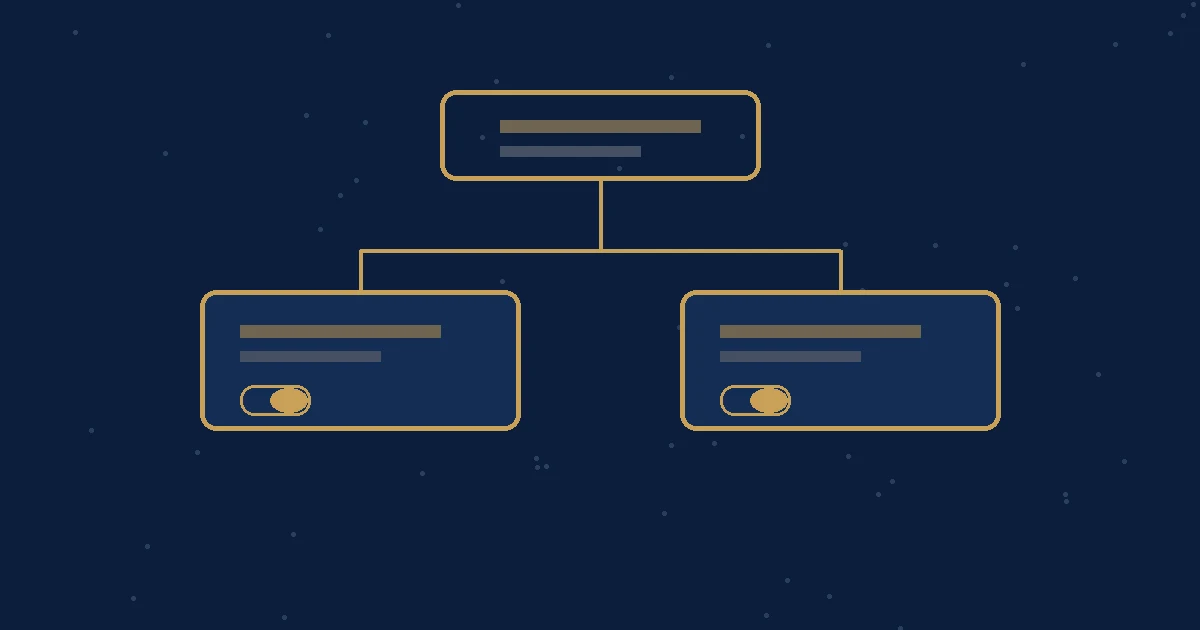
Demand Gen Display targeting is moving from the campaign to the ad group. In a Google Ads Developer Blog post dated 9 November 2026, Google announced that, starting the week of 1 December 2026, campaign-level Display targeting will default to enabled for newly created Demand Gen campaigns. The same post says: “Display network targeting will be managed directly at the ad group level using channel controls”. It also says: “Overall default campaign serving behavior will remain unchanged.”
For Singapore brands already running Demand Gen, this is a settings check, not a new campaign type. The change starts the week of 1 December 2026, just after 12.12. If your team still turns Display off at campaign level, that switch will no longer be available. Check each ad group now so YouTube, Discover, Gmail or Display choices stay as you intended. For a general primer on Demand Gen and channel controls, see our guide to Demand Gen campaigns in Singapore.
What changes the week of 1 December 2026
Google’s 9 November 2026 post sets a clear start: the week of 1 December 2026, not a single calendar day. From that week, three things change for Demand Gen:
- New campaigns default Display to enabled at campaign level. Google’s wording is that campaign-level Display targeting “will default to enabled” for newly created Demand Gen campaigns.
- Display is managed at the ad group. Google says: “Display network targeting will be managed directly at the ad group level using channel controls”.
- The campaign-level off switch ends. Google also says: “You will no longer be able to disable Display targeting for Demand Gen campaigns at the campaign level”.
That last point is the one most likely to catch a team out. Until now, switching Display off at the campaign could override what an ad group was set to do. Google says managing Display only at the ad group “eliminates this dual-level configuration”, so the Google Ads interface, Editor and any connected tools should show the same choice.
Google has not said every account will change on the first of the month.
What does not change
The most important line in the post is that default serving stays the same. Google explains: “Because ad group-level channel controls default to turning off Display targeting, the overall default targeting behavior remains unchanged (targeting owned and operated inventory unless explicitly opted in).”
In plain terms:
- A new Demand Gen campaign still starts on Google-owned inventory, such as YouTube, Discover and Gmail, unless you opt into the Google Display Network at the ad group.
- Display does not switch on by itself just because the campaign-level setting now defaults to enabled.
- Existing campaigns that were already opted out of Display are included in a backfill. Google says: “None of the existing campaigns being backfilled will change their serving behavior, as the impacted campaigns are already opted out of Display.”
Our recommendation: treat this as a control moving house, not as a sudden expansion on to the Google Display Network. Confirm the ad group setting rather than assuming the campaign default has changed where ads can run.
Google also describes one backfill case for ad groups that only targeted Display while Display was switched off at the campaign. Google says those ad groups will have their status updated to PAUSED, “preserving their non-serving status while leaving channel controls intact.” That is Google’s way of keeping them off, not a forecast of results. If you have an ad group like this, check whether it is paused after the backfill and leave it paused unless you deliberately want Display on.
Where to check in Google Ads
The place to look is the ad group, not the campaign. Google’s Channel controls in Demand Gen campaigns guide, read alongside the 9 November 2026 announcement, says channel controls “are set at the ad group level, allowing you to customize where your ads serve within each ad group.”
In the Channels panel you can:
- Choose All Google channels, which sets the channels automatically, or
- Choose Let me choose, then pick the surfaces you want, including YouTube in-stream, YouTube in-feed, YouTube Shorts, Discover, Gmail, Maps and the Google Display Network.
If you want Display off, do not rely on a campaign toggle. Open each Demand Gen ad group, use Let me choose if you need a shorter list, and confirm that the Google Display Network is not selected. If you want Display on, select it at the ad group, or use All Google channels only if you also want the other Google surfaces.
What to do before 12.12 and the December change
12.12 creative work is already under way for many Singapore brands, and new Demand Gen campaigns may be built in the same window as this change. Our recommendation is to complete a short audit before the week of 1 December 2026:
- List every live Demand Gen campaign and ad group. For each ad group, note whether the Google Display Network is included.
- Confirm the intended mix. If the plan is YouTube and Discover only, the ad group should not include Display. If Display is part of the plan, it should be selected at the ad group.
- Set new campaigns at the ad group from now on. Do not build a process that depends on turning Display off at campaign level.
- Update templates and software workflows. If campaigns are created from saved setups or connected tools, move the Display choice to the ad group control before the week of 1 December 2026.
- Check the paused backfill case. If an ad group only targeted Display while the campaign had Display off, look for a paused status after Google’s backfill and decide whether that is still what you want.
A separate December default, for Performance Max landing page images, is covered in our Performance Max landing page images guide. The two changes are not the same, but both belong on a pre-December checklist.
Fitting it into a 90-day plan
A one-off audit is useful, but Display targeting is easier to keep tidy when it sits inside a regular planning rhythm. We are planning to fold Demand Gen channel checks into Growth System 90, our 90-day planning approach, so that ad group settings, creative and measurement are reviewed together before each campaign window.
In practice: confirm Display at the ad group, keep campaign-level assumptions out of new builds, and set one performance target for each Demand Gen campaign that does not depend on a surprise change in where ads can appear. For the wider Google Ads work behind that plan, see our Google Ads services and performance marketing services.
Hypothetical illustration, not a client example: a Singapore skincare brand runs Demand Gen mainly on YouTube Shorts and Discover, and had Display switched off at campaign level. Before the week of 1 December it opens each ad group, confirms the Google Display Network is not selected, and leaves the setting at the ad group rather than at the campaign.
FAQs
What is changing for Demand Gen Display targeting in December 2026?
From the week of 1 December 2026, Google will manage Display targeting for Demand Gen at the ad group, not the campaign. Campaign-level Display targeting will default to enabled for newly created campaigns, and you will no longer be able to turn Display off at the campaign. Google says overall default serving stays unchanged.
Will my existing Demand Gen campaigns start appearing on the Google Display Network?
No, not as a result of this change alone. Google says none of the existing campaigns being backfilled will change their serving, because those campaigns are already opted out of Display. Still open each ad group and confirm whether the Google Display Network is selected.
Where do I turn Display on or off after the change?
At the ad group. In the Channels panel, choose All Google channels or Let me choose, and confirm whether the Google Display Network is included. Google’s Help guide on channel controls in Demand Gen campaigns, read with the 9 November 2026 announcement, says these controls are set at the ad group level.
Do new Demand Gen campaigns serve on Display by default?
No. Although campaign-level Display targeting will default to enabled, Google says ad group channel controls still default to turning Display off. New campaigns continue to target owned and operated inventory, such as YouTube, Discover and Gmail, unless you opt into Display at the ad group.
What should Singapore brands check before the week of 1 December?
Open every live Demand Gen ad group and confirm whether the Google Display Network is selected. For new campaigns, set Display at the ad group from now on, and update any templates or tools that still use the campaign-level switch. Our recommendation is to finish this audit before the week of 1 December 2026.
What happens to an ad group that only targeted Display while the campaign had Display off?
Google says those ad groups will be paused, preserving their non-serving status, while their channel controls stay in place. That is a backfill step so the ad group is not left with no active channel. Check the ad group after the change and leave it paused unless you deliberately want Display on.