
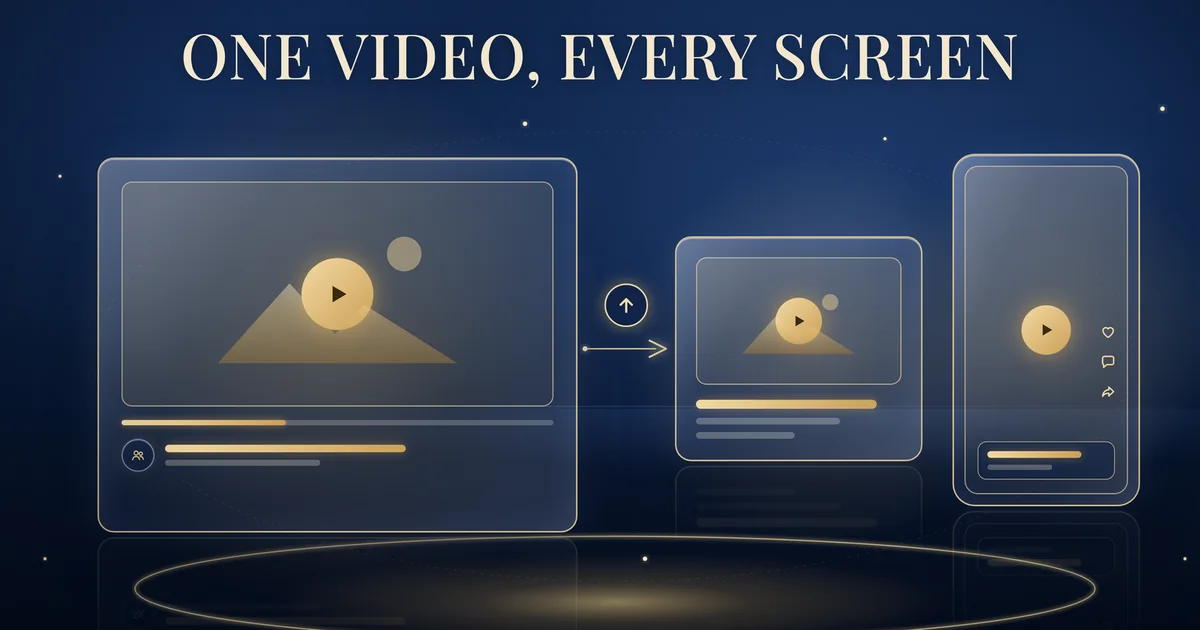
If you run an in-stream only YouTube Video reach campaign with the Efficient reach goal, Google is changing it. Starting August 2026, Google is automatically upgrading these campaigns to multi-format ads, which can also serve as in-feed and Shorts ads, through the rest of the year. Settings and historical reporting stay; ad group and ad history reset. You will need a headline and description, and in-feed and Shorts stay off until you switch them on. Our advice: upgrade yourself before a 12.12 or Chinese New Year burst, not mid-flight. Brands Win is a Singapore-based agency that plans and runs YouTube campaigns for consumer brands.
Checked against Google Ads Help, 16 October 2026.
What’s changing in YouTube Video reach campaigns
Google’s upgrade page, In-stream only Video Reach Efficient Reach Campaign are being upgraded to multi-format ads (Google Ads Help, read 16 October 2026), says: “Starting August 2026, Google will start automatically upgrading all In-stream only Video Reach Efficient Reach Campaigns to using multi-format ads.” It adds: “The automatic upgrade will gradually roll out throughout the rest of the year.”
There is no fixed date for any one account, so plan as if it could happen at any time this quarter.
The scope is narrow: Video reach campaigns with the Efficient reach goal that run in-stream ads only. The page does not cover Non-skippable reach, other goals or other video campaign types. It also notes that campaigns of this kind “using shared budget will not be upgraded”; Google recommends creating new campaigns to replace them.
What does multi-format mean? Google’s Video reach campaigns page (Google Ads Help, read 16 October 2026) explains that with Efficient reach, “If you enable ‘multi-format ads,’ you can also use in-feed and Shorts ads”. The upgrade page says this lets ads “automatically adjust their size, appearance, and format to fit available ad spaces across YouTube and Google”.
What the automatic upgrade keeps and what it resets
Google says: “Your campaign will retain its settings and continue to serve automatically.” It also says Google will not change campaign-level settings such as the name, flight date or targeting, and the campaign “will retain all historical reporting data”.
But “note that ad group and ads history will be reset”. Google creates a new multi-format ad group as a copy of your in-stream only ad group, pauses the original for 7 days while it completes the upgrade and then deletes it. During those 7 days the original “will not serve and cannot be edited”, so keep the switch clear of peak sale periods. The new ad uses the same videos but goes through policy review again, so its approval status can change.
After the upgrade, the campaign “will default to in-stream placements only”. Nothing serves on Shorts or in-feed until you add the missing text and switch those formats on. Google also prefills the business name and logo from the YouTube channel hosting the video, so check both.
Our recommendation: export your current ad group and ad-level results now, so you keep a baseline when that history resets. And rather than risk an automatic upgrade during a peak campaign, upgrade yourself at a quiet moment.
The new text assets: headline and description
Google asks for a headline “up to 90 characters, though for VRC specifically, a shorter headline of up to 30 characters can also be used, with an option for a long headline of 90 characters” and a description “up to 90 characters”. These appear on in-feed and Shorts ads.
They are not optional: “Supplying these assets is mandatory, even if you initially don’t opt into Feed and/or Shorts”. On campaigns Google upgrades automatically, the long headline and description start blank, and Google says you must add them before the campaign can serve on in-feed and Shorts.
Shorts ads on mobile now show a call-to-action (CTA) overlay card that can display your headline. For that, Google recommends “both a 40 character headline and a 90 character description”.
Our writing tips:
- Lead with the brand name and one clear message.
- Make no claim your landing page doesn’t support.
- For bilingual campaigns, check each language version separately.
- Don’t mention an offer the campaign isn’t running.
How to upgrade on your own timetable
Google recommends “upgrading your In-stream only Video Reach Efficient Reach Campaigns to multi-formats ads ahead of the automatic upgrade”. Its method is copy and paste:
- Go to Campaigns in Google Ads and add Google’s filters, Campaign type: Video and Bid strategy type: Target CPM, so the table shows your Video reach campaigns.
- Tick the campaigns you want to upgrade, then choose Copy from the Edit menu, then Paste from the same menu.
- Select “Change video ads to multi-format ads (responsive ads)”.
- Enter a long headline and description. Every ad gets the same text, so edit ads individually afterwards if they need different wording.
- Select Paste. The new campaigns are labelled “Copied as multi-format (responsive)”.
- Optional: in the new campaign’s settings, choose your ad formats from skippable in-stream, in-feed and Shorts. “You must have at least one inventory selected”, and Google recommends using all of them.
Copy and paste creates a new campaign, and Google’s page does not say the original stops. Our recommendation: once the new campaign is approved and serving, pause the original so the two don’t compete for the same audience. Menus can change, so follow Google’s live page on the day.
Getting creative ready for Shorts and in-feed
Google’s YouTube Shorts ads: Asset specs and best practices (Google Ads Help, read 16 October 2026) says “Vertical videos, with a 9:16 aspect ratio, are best suited for the Shorts format”, and “vertical videos are prioritized for Shorts ads in brand campaigns”.
Horizontal videos serve on Shorts only if you don’t have a vertical video in the ad group, and they “serve with blurred top and bottoms in the vertical Shorts experience”. The Video reach campaigns page adds that “Vertical videos won’t serve on in-feed inventory”, so keep a horizontal version too.
Only “the first 60 seconds play in the Shorts feed”, and Google recommends video ads of “less than 60 seconds”.
In a multi-format campaign, “you can’t manually restrict individual video assets so that they serve exclusively on a single format”. Every video needs to work in every format you select.
Shorts ads are “only available for Video reach campaigns with ‘Efficient reach’ goal”, according to How to buy YouTube Shorts ads with Video reach campaigns (Google Ads Help, read 16 October 2026), and you can change the Shorts setting during the flight. Creator content cut vertically can suit Shorts well. Vertical edits are part of our creative work.
Planning around 12.12 and Chinese New Year
These are our recommendations, not Google’s:
- Upgrade and test before the burst. Run the multi-format copy before 12.12 or your Chinese New Year flight, so approvals and text are settled early.
- Keep the structure simple. Fewer ad groups make it easier to see what the new formats are doing.
- Review results by format afterwards. Compare in-stream, in-feed and Shorts delivery against your performance target for reach.
Video reach campaigns are built for reach and awareness. If your goal is action, such as sales, Demand Gen is a different campaign type. At Brands Win, we sequence changes like this inside Growth System 90, so format changes are planned around peak periods. Your Google Ads account and YouTube channel stay in your name, as they do across all our YouTube ads work.
FAQs: YouTube Video reach campaigns
What is changing in YouTube Video reach campaigns?
Starting August 2026, Google is automatically upgrading in-stream only Video reach campaigns with the Efficient reach goal to multi-format ads. The upgrade rolls out gradually through the rest of the year. Multi-format ads can serve as in-stream, in-feed and Shorts ads, depending on the formats you select.
Will the upgrade reset my campaign data?
Google says upgraded campaigns keep their settings and all historical reporting data, but ad group and ad history are reset. If you compare results at ad level, note your current figures before the upgrade so the comparison isn’t lost.
Will my ads start showing on YouTube Shorts automatically?
No. After the automatic upgrade, campaigns default to in-stream placements only. To serve on Shorts or in-feed, you add a headline and description and then select those formats in the campaign settings. You must keep at least one format selected.
What headline and description do multi-format ads need?
Multi-format ads need a headline and a description of up to 90 characters each, and Video reach campaigns can also use a shorter headline of up to 30 characters. Google recommends a 40 character headline and a 90 character description, and says these assets are mandatory even if you don’t opt into Shorts or in-feed.
Can I upgrade my Video reach campaigns before Google does it?
Yes. Google recommends upgrading ahead of the automatic upgrade. You copy the campaigns and paste them with the option to change video ads to multi-format ads, then add a headline and description. The copies are labelled “Copied as multi-format (responsive)”.
What video format works best for Shorts ads?
Google says vertical videos with a 9:16 aspect ratio are best suited to Shorts and are prioritised in brand campaigns. Horizontal videos serve on Shorts only if the ad group has no vertical video, and then with blurred bars above and below. Only the first 60 seconds play in the Shorts feed, so Google recommends ads shorter than 60 seconds.